Getting Started: Setting Up Your Stripe Account

To receive payment as a Papa Pal, you need to register with Stripe, which is our third-party payment platform. Follow the steps below to set up your account.
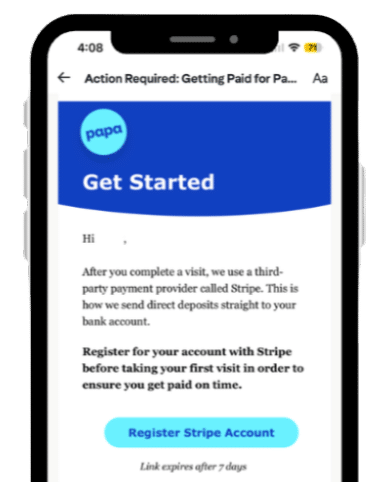
Open the email you received from Papa with the subject line “Action Required: Getting Paid for Papa Visits” and click the “Register Stripe Account” button.
❗Reminder: Your Stripe registration link will expire within 7 days from this email being sent to you.

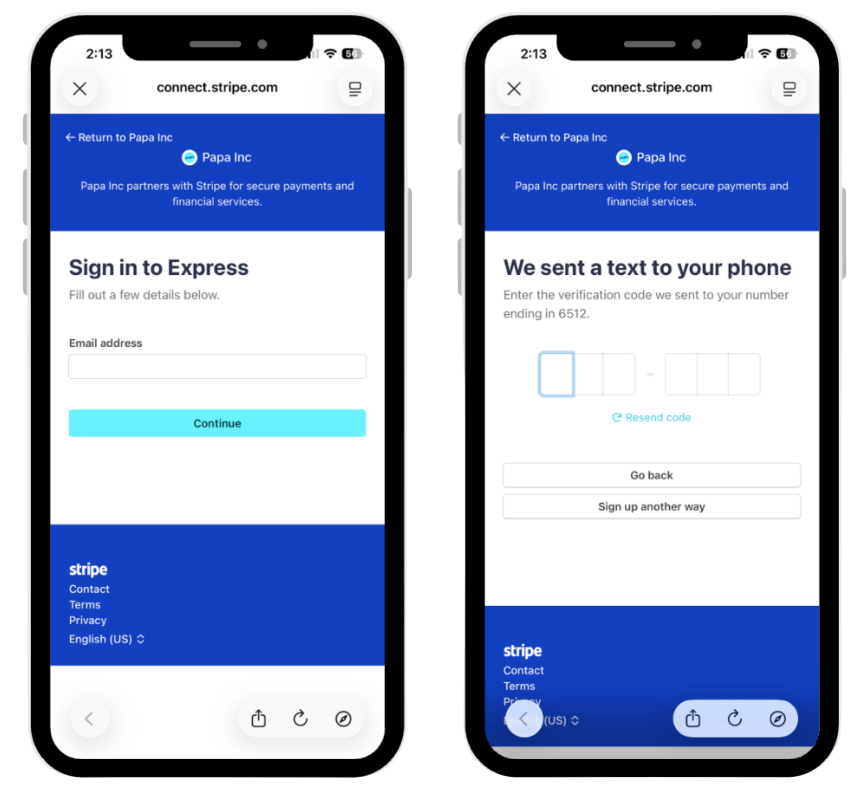
Once you are redirected to the Stripe Express webpage, enter your account login information. Make sure the email you provide matches the one you used when signing up to be a Papa Pal. After completing the required fields, click “Continue.” You will receive a six-digit verification code on the mobile number you entered. Enter that code to move on to the next step.

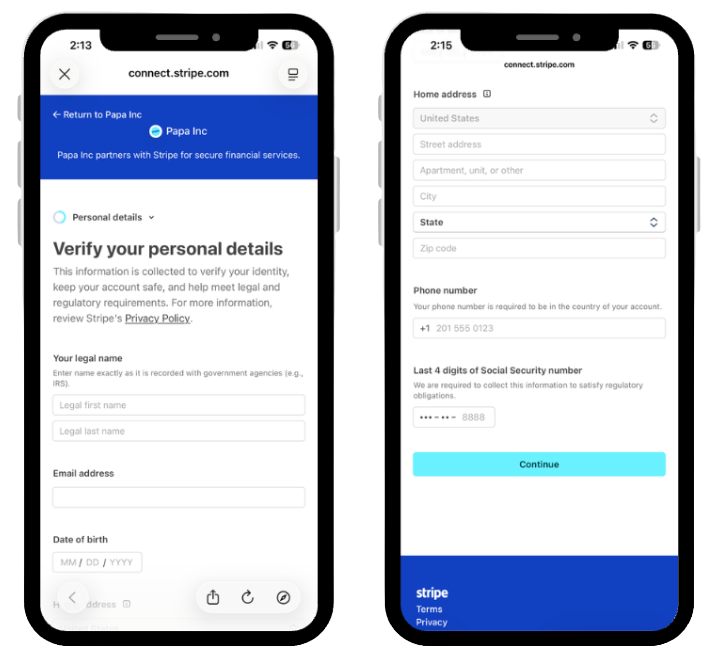
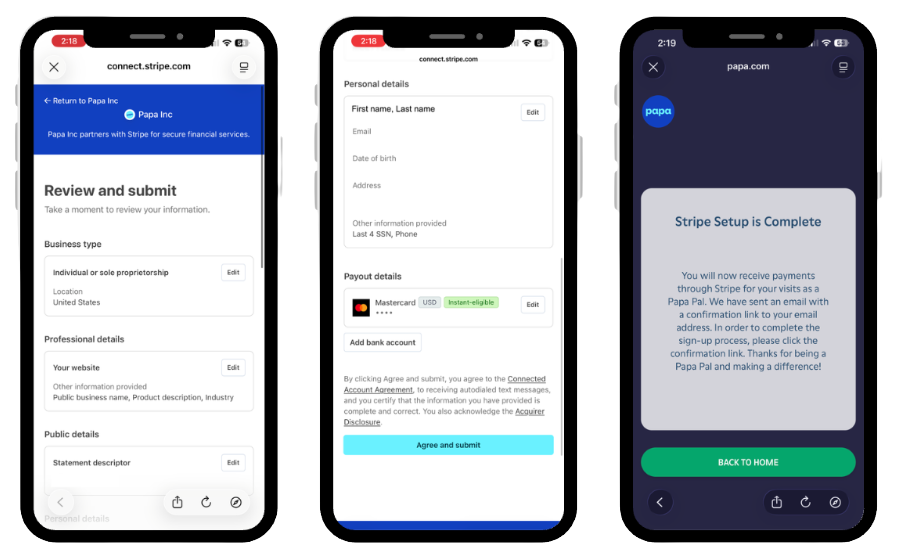
Add your personal details to verify your identity and ensure that you receive your payments. After you fill out all the information, click “Continue” to proceed.

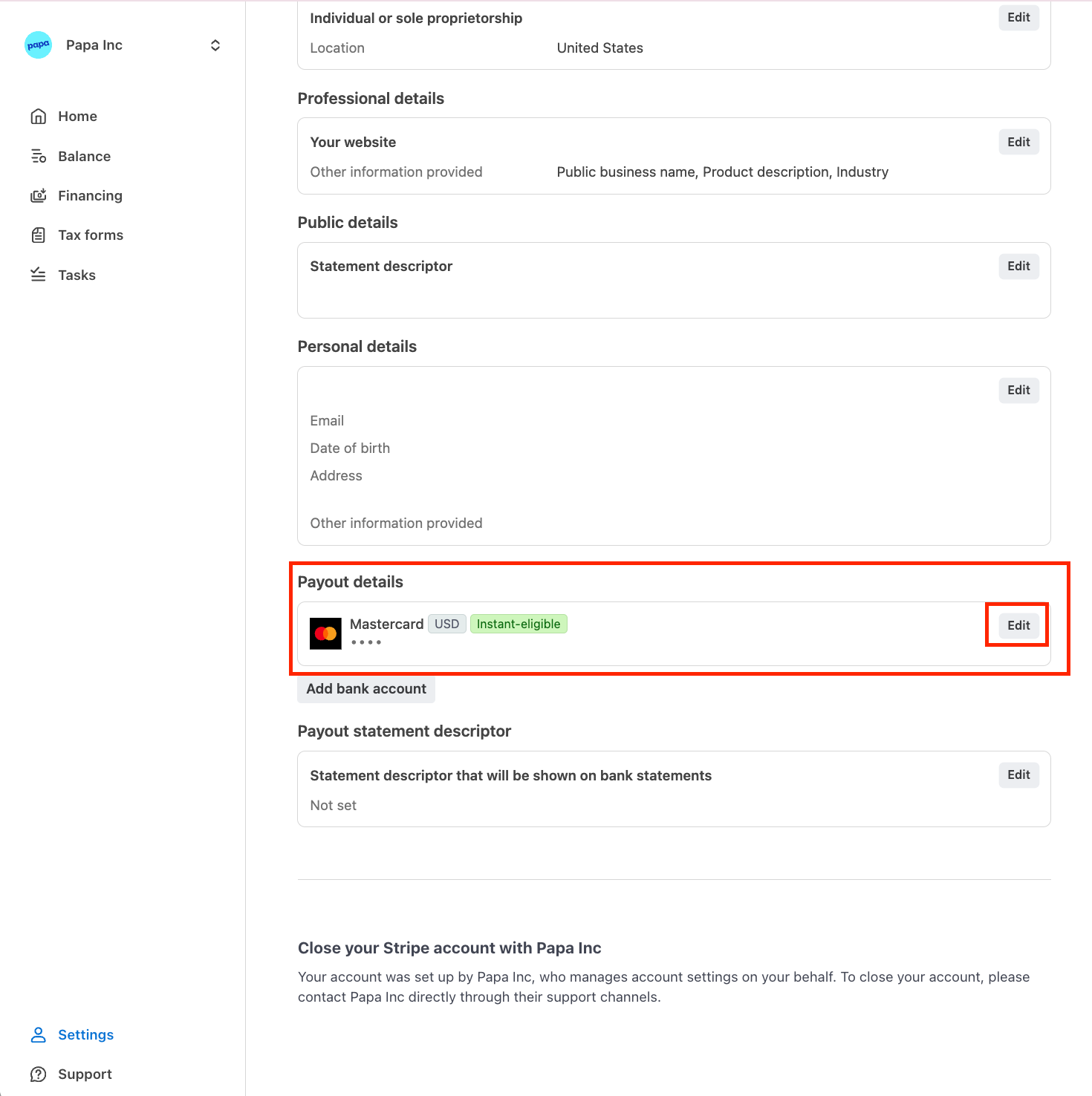
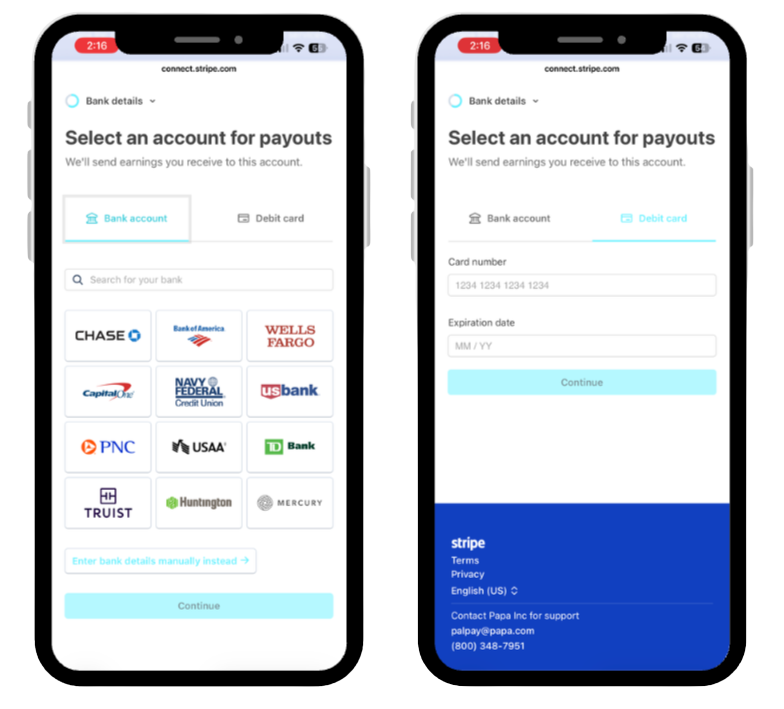
Set up your payment method. You can link your bank account, enter your bank details manually, or add a debit card.
- To link a bank account, enter your routing and account numbers. You also have the option to link your banking login to Stripe.
- To link a debit card, enter the card number and expiration date.
Once all information is entered, select “Continue.”

After completing these steps, Stripe will ask you to review your information before submitting it. Please confirm that everything is accurate, then click “Agree and Submit.”
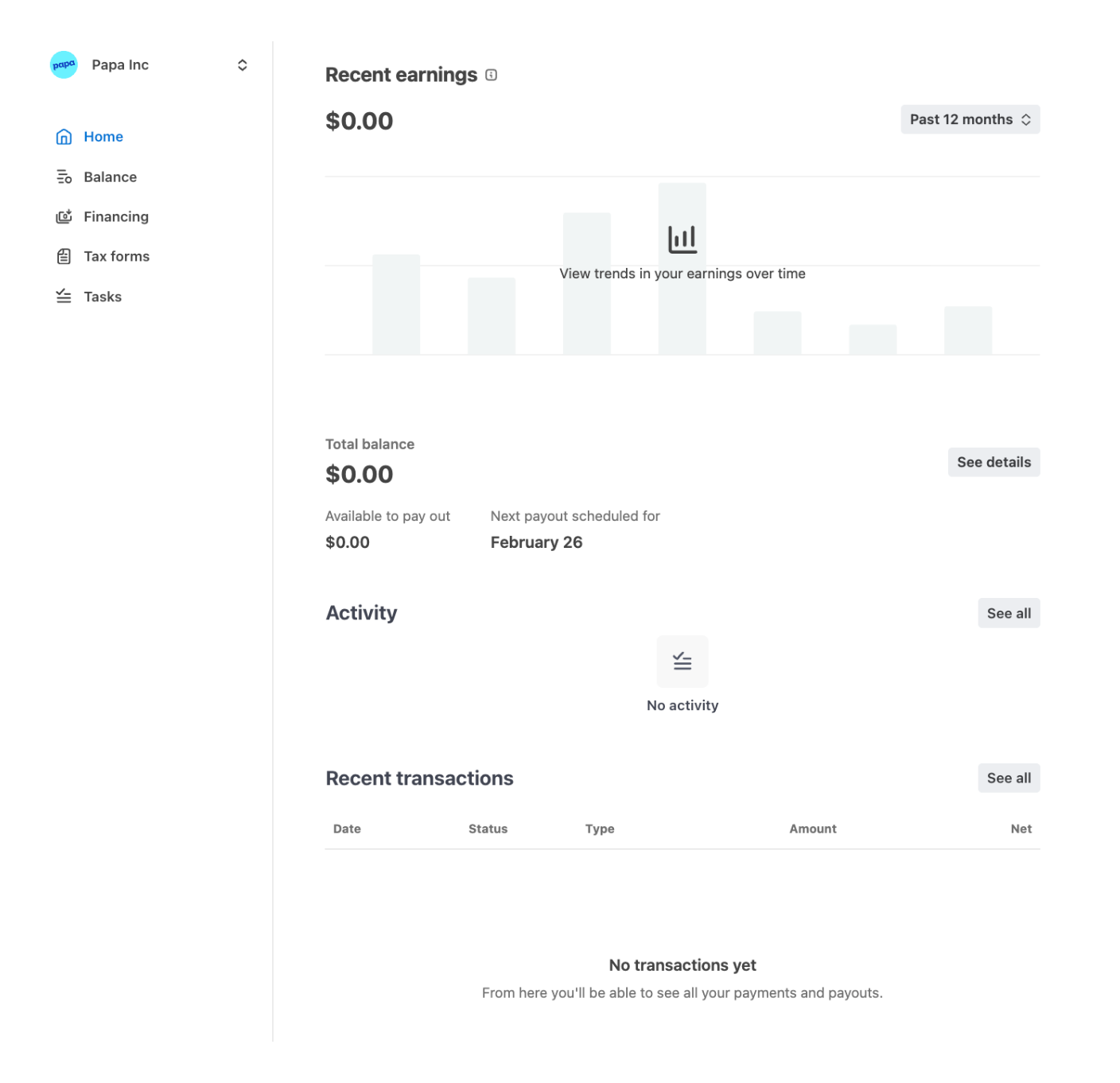
You are all set! You can log in to Stripe at any time to view your account information, view future payments, and update your payment method.